
Features
Everything you need from the couch – on a small PC next to the TV, with no account and no ads in the system.
Screenshots
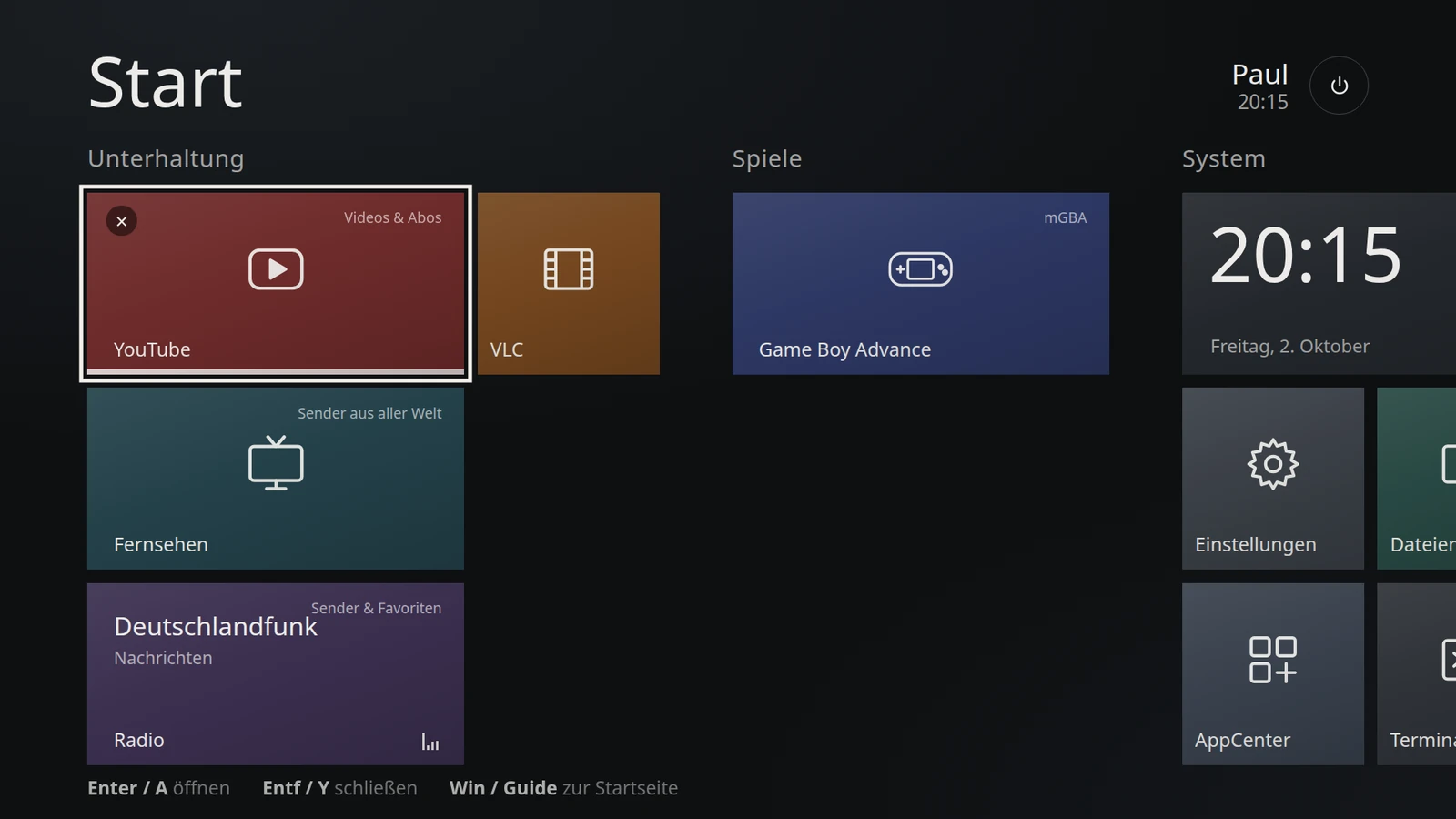
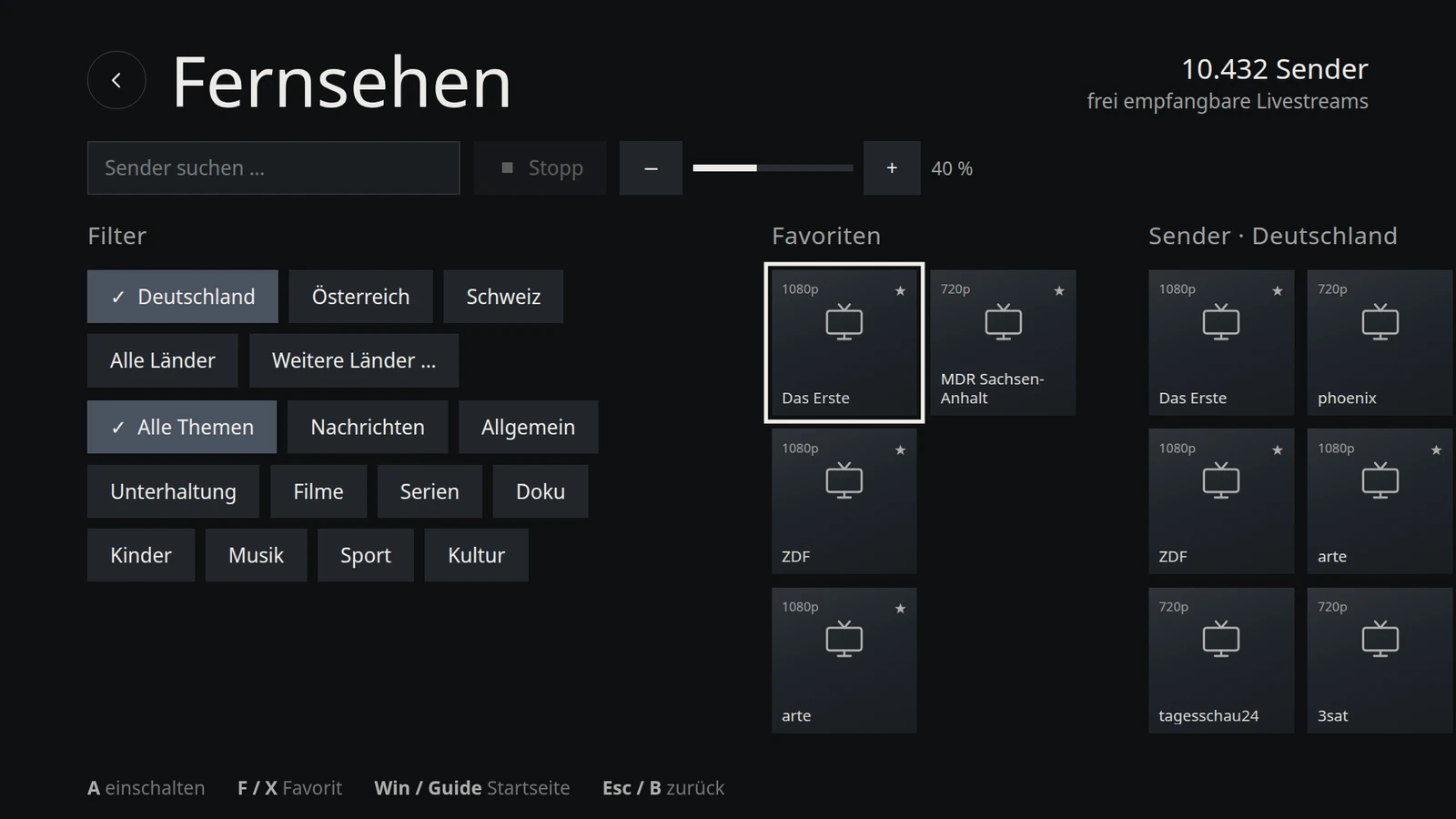
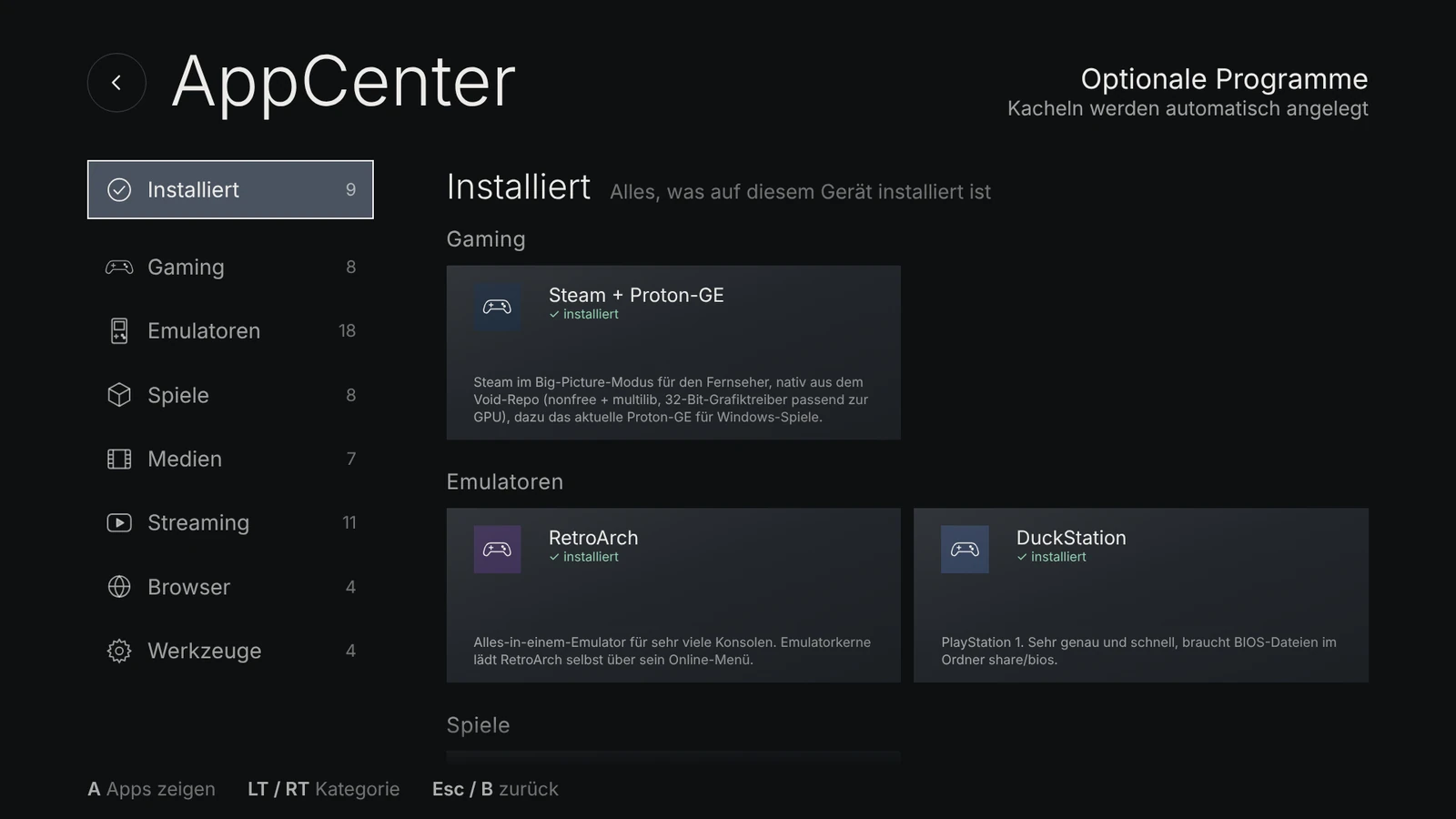
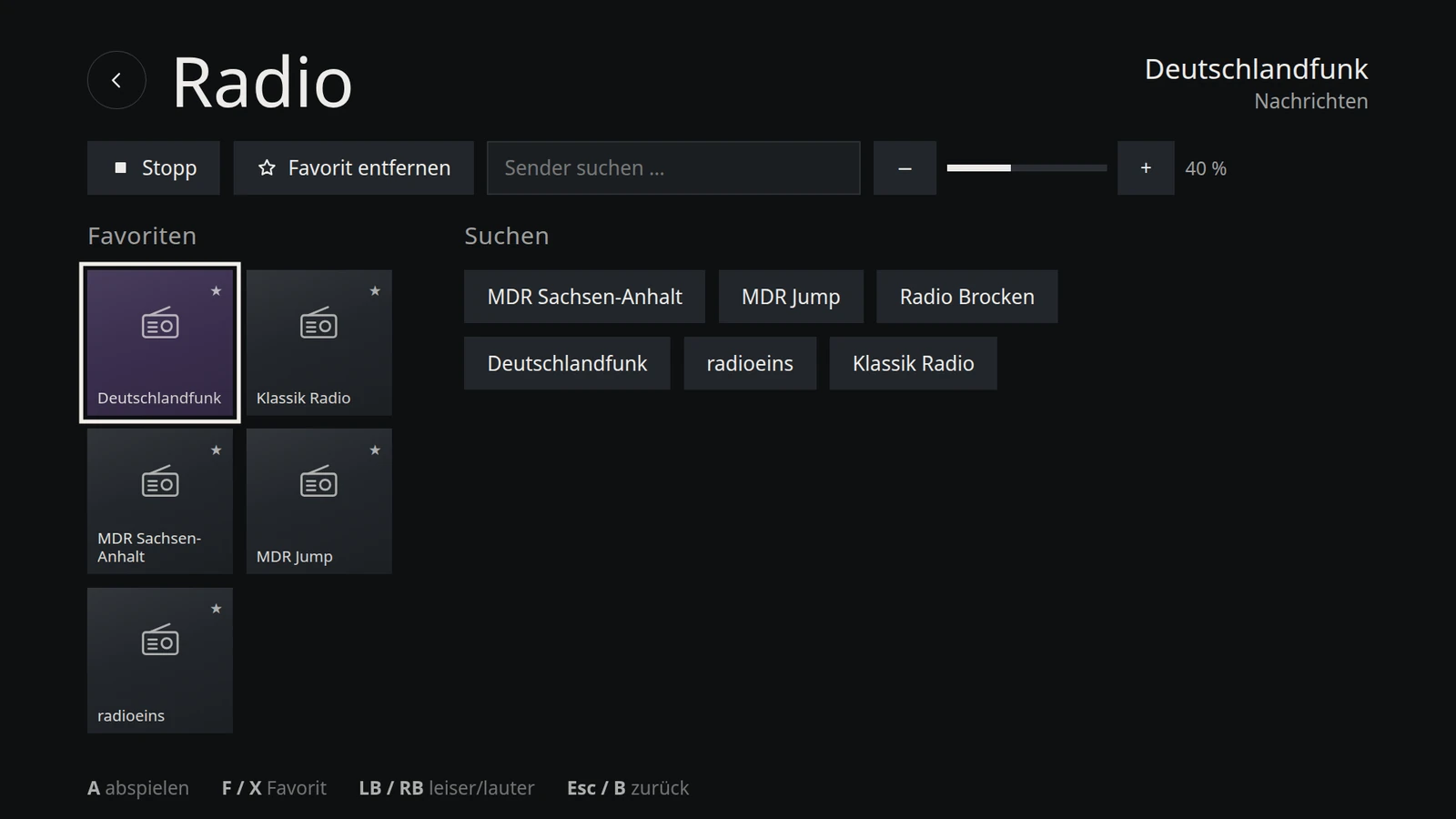
Interface
- Tiles in the style of Windows 8, sorted into groups – add your own tiles
- Control it with a gamepad, remote, mouse or keyboard; Xbox and PlayStation controllers (DualSense, DualShock) also via Bluetooth
- On-screen keyboard for every input field – in Firefox and on YouTube too
- Themes: Dark, Light, High contrast and Nord; your own themes as a single CSS file
- Adjustable scaling and resolution, 60 Hz preferred
- German or English, including the programs it launches
- Several programs at once – Guide or Win takes you back to the start screen from anywhere
TV
- Free-to-air channels from all over the world (channel list by iptv-org), with search and favorites
- Program guide with the current and next show, once an XMLTV source is configured
- Pluto TV and the German public broadcasters' media libraries (ARD, ZDF, ARTE) in the AppCenter
Radio
- Tens of thousands of stations via radio-browser.info, with search and favorites
- The radio tile shows the station and current track – the radio keeps playing while you use other tiles
YouTube and streaming
- Full-screen YouTube (Firefox in kiosk mode), optionally with the TV interface
- Netflix, Prime Video, Disney+, Joyn, RTL+ and Twitch from the AppCenter – copy protection (Widevine) is enabled for them
- Kodi, Jellyfin, Plex HTPC, Spotify, FreeTube and VLC for your own collection
AppCenter
60 hand-picked apps in seven categories – install and remove with one click:
- Gaming: Steam with Proton-GE, Heroic Games Launcher, Lutris, itch, Prism Launcher (Minecraft), Moonlight, Steam Link, Discord
- Emulators: DuckStation, PCSX2, PPSSPP, Dolphin, Cemu, Flycast, mGBA, melonDS, Azahar, Snes9x, Nestopia, Rosalie's Mupen GUI, MAME, DOSBox Staging, ScummVM, VICE, Stella, RetroArch
- Games: SuperTuxKart, SuperTux, Neverball, Luanti, Xonotic, Hedgewars, Battle for Wesnoth, OpenTTD
- Media, streaming, browsers and tools: from Kodi to LocalSend (send files from your phone)
Native Void packages come first; Flatpak or AppImage only where no Void package exists. “Installed” shows everything on the device – including programs installed from the terminal.
Games
- Native Steam from the Void repositories, Proton-GE is kept up to date automatically
- Emulator tiles list the games from the shared folder (
share/ROMs/<system>) and launch them directly - Stream games from your gaming PC with Moonlight or Steam Link
Updates
- One button for everything: Void packages including the kernel, Flatpaks, AppImages, Proton-GE and VoidStation itself
- VoidStation updates are signed – devices only install what the publisher has signed
- Channels Stable (for everyone) and Testing (new versions first)
- No daily nagging: plain system updates are only flagged after 30, 60 or 90 days; a restart is only requested when it is needed
Under the hood
- Void Linux (glibc, rolling release) with runit, Openbox and PipeWire
- XLibre display server; if the interface fails to start twice, VoidStation repairs itself, then offers a rescue console
- The start screen is a lean WebKitGTK app – around 250 MB of RAM
- Windows share
\\<hostname>\sharefor movies, music and ROMs; remote access via SSH if you want it - Live ISO with an installer in the same tile design: whole SSD, next to Windows or Linux, into free space or manual partitioning