
Two weeks after the first live ISO, VoidStation has passed 1,000 downloads on SourceForge. About two thirds come from Germany, the rest from many other countries. Honestly, we didn't expect that. Time for a thank-you, a look at what's being built right now, and what comes next.
Thank you
- Everyone trying VoidStation: every download, every install and every bit of feedback helps.
- Armin from PinguinTV, who introduced VoidStation on the linux-talk.de forum on October 4. That's where it all started.
- SYSFORM IT Linuxhilfen, who installed VoidStation after that post and published a video about it on October 9 (in German). Without that review, VoidStation would never have reached so many people.
- Florian (DevSpeX) for themes, the on-screen keyboard, Bluetooth, the ROM browser and the TV program guide. Many of his contributions are part of every VoidStation today.
- NoLange60 for the first community feedback. It led to the FreeTube subscription import fix, the mouse way back to the start screen, and sleep mode.
- The projects VoidStation is built on: Void Linux, XLibre, Qt, mpv, yt-dlp, iptv-org, MusicBrainz and the Cover Art Archive, the Internet Archive, and SourceForge, which hosts our ISOs.
What's in Testing right now
A little sneak peek: everything here already runs on devices in the Testing channel and comes to everyone with the next monthly update.
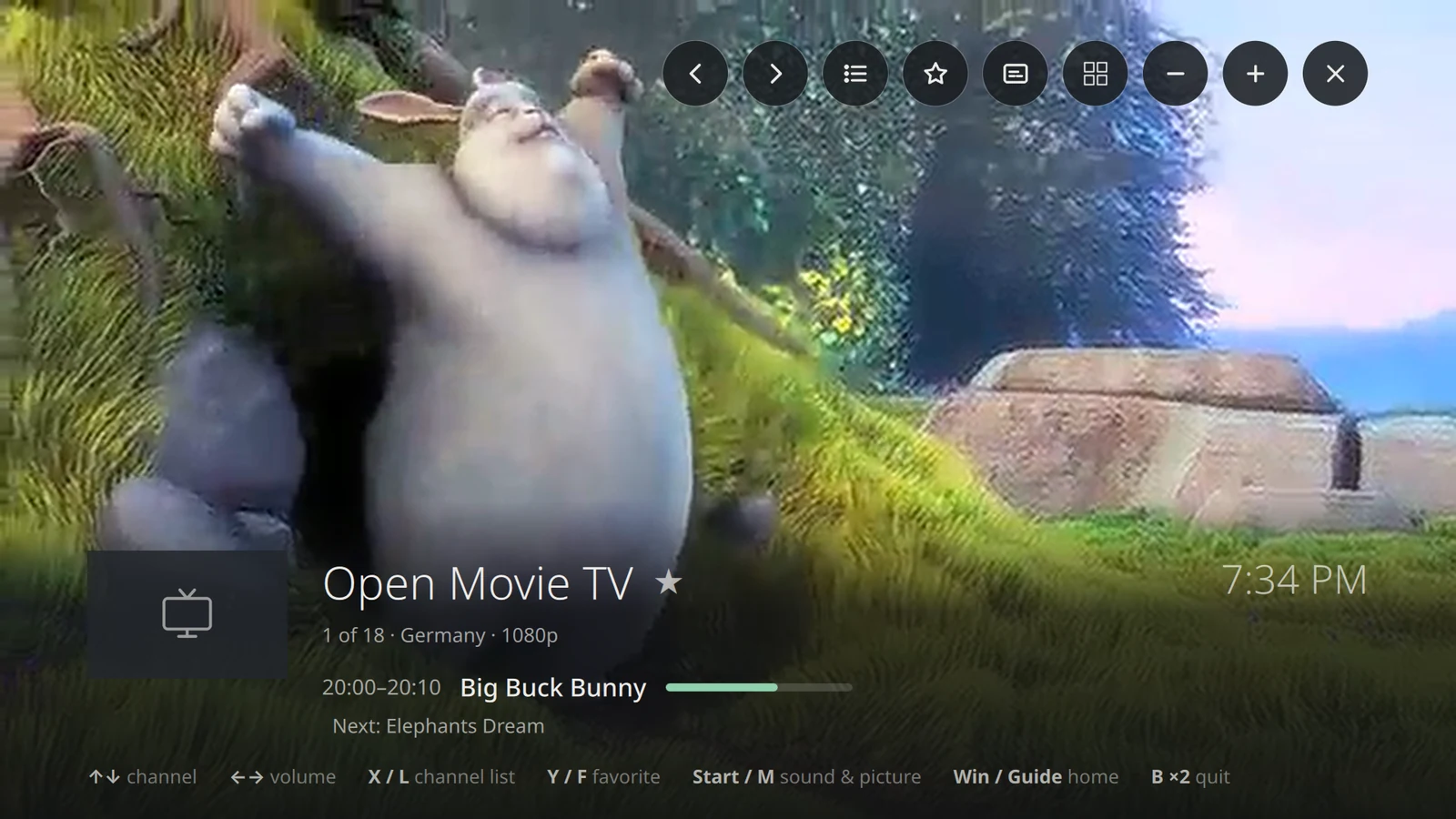
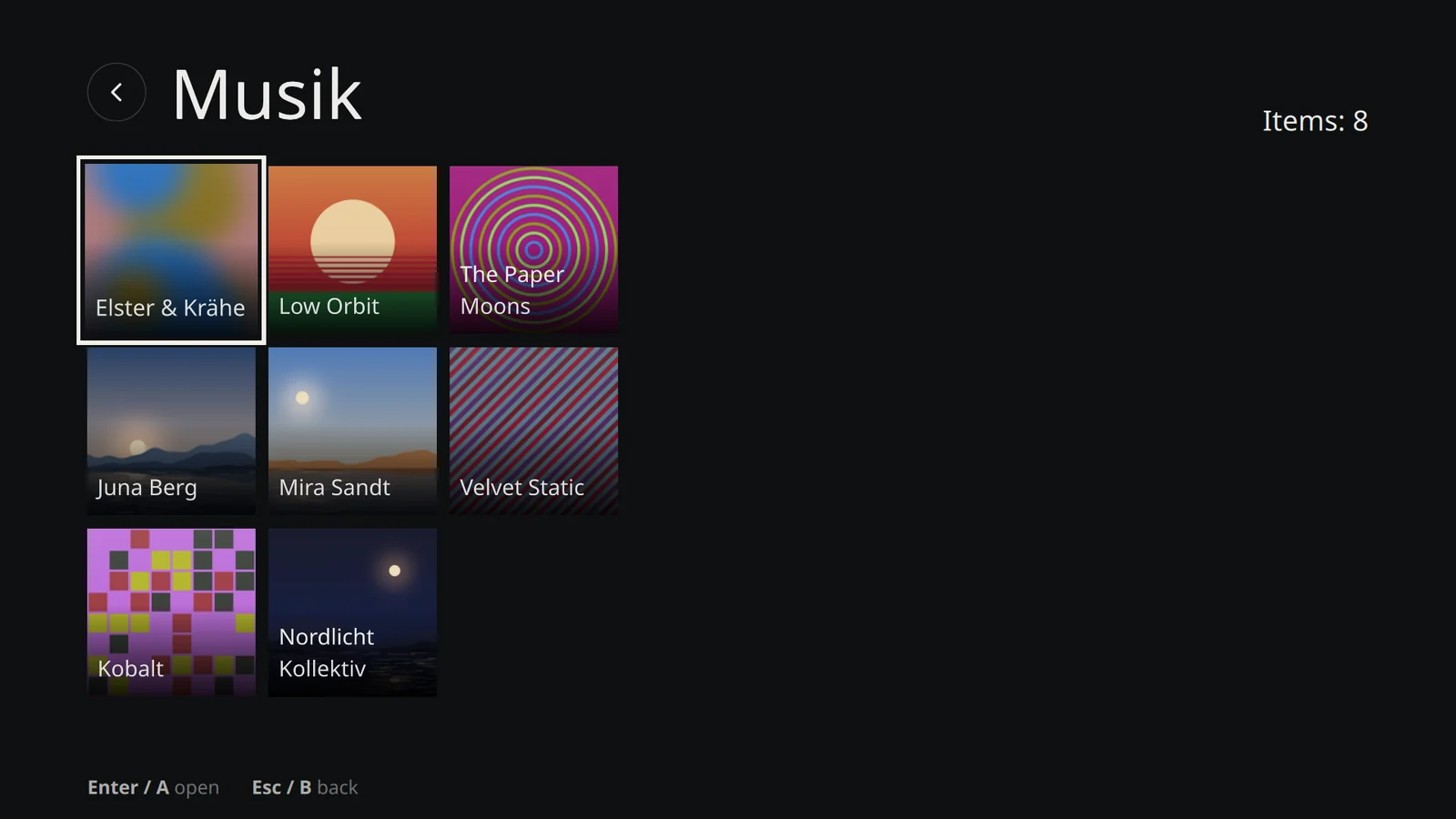
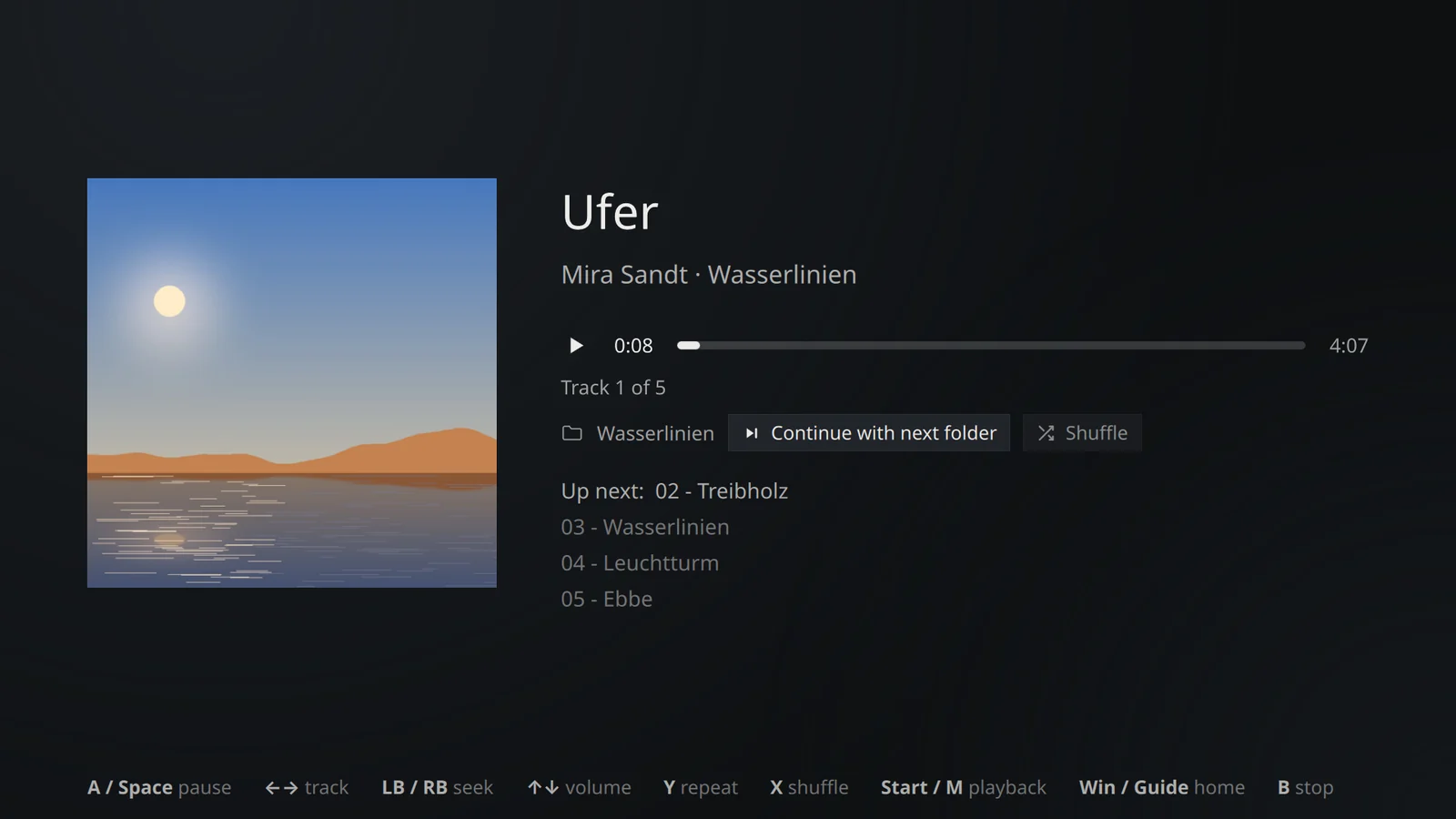
- “Videos & Music”: a player of our own in the VoidStation look, fully usable with a gamepad. It replaces VLC, with thumbnails, resume where you left off, and audio and subtitle selection. VLC is still one click away in the AppCenter.
- TV, rebuilt: zap with ▲▼ right in the picture, with channel logo, current and next show. A channel list with favorites and “Recent”, an A–Z bar for big lists, and “Sound & picture” for audio track, subtitles and aspect ratio. If a channel can't be reached, VoidStation now tells you why.
- Music: album covers arrive on their own (MusicBrainz and Cover Art Archive), repeat modes like on an MP3 player, and shuffle. Music and TV keep playing while you're on the start screen.
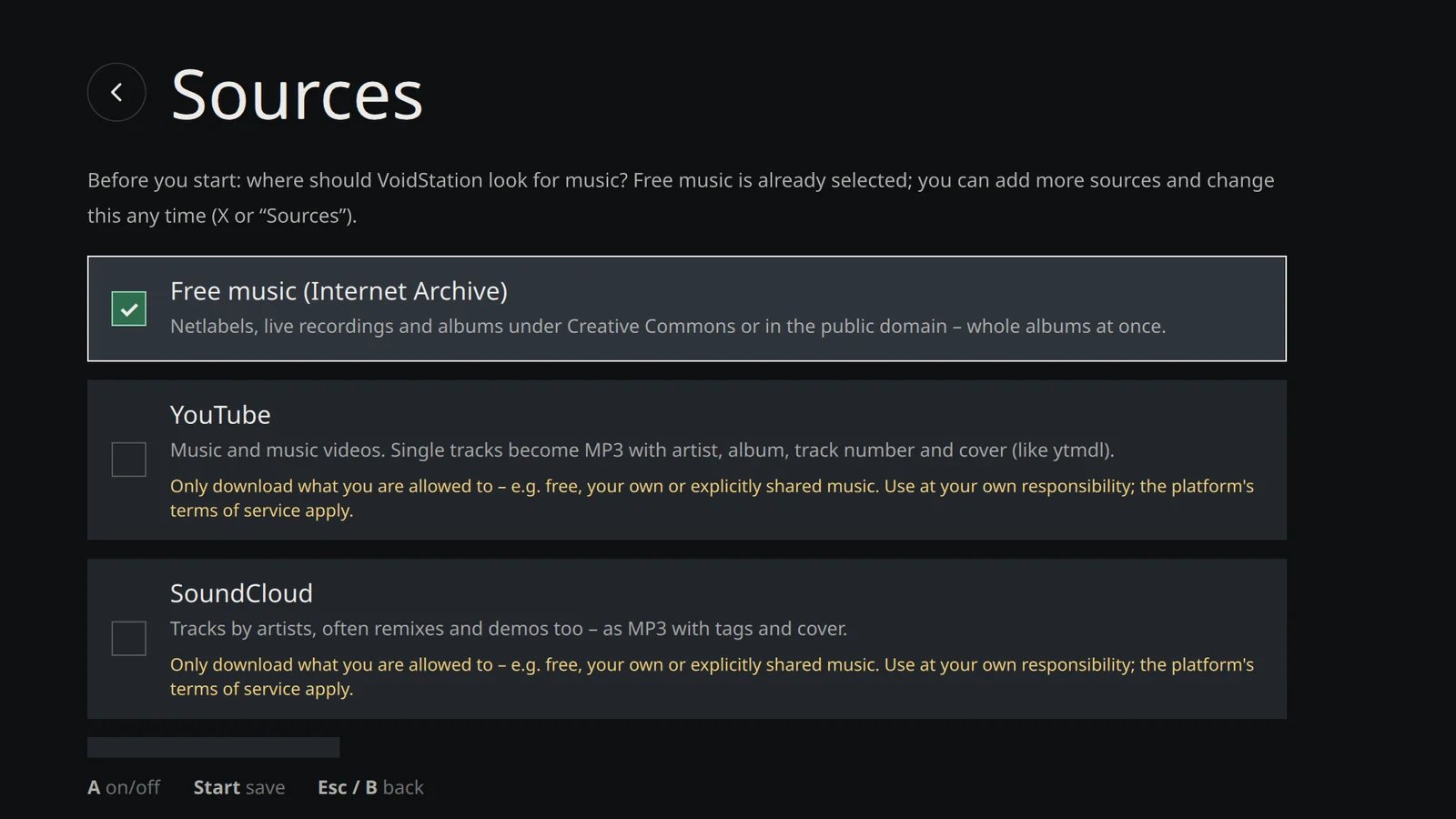
- “Find music”: find and download music, with tags and cover. Free sources from the Internet Archive are preselected; YouTube and SoundCloud can be switched on deliberately.
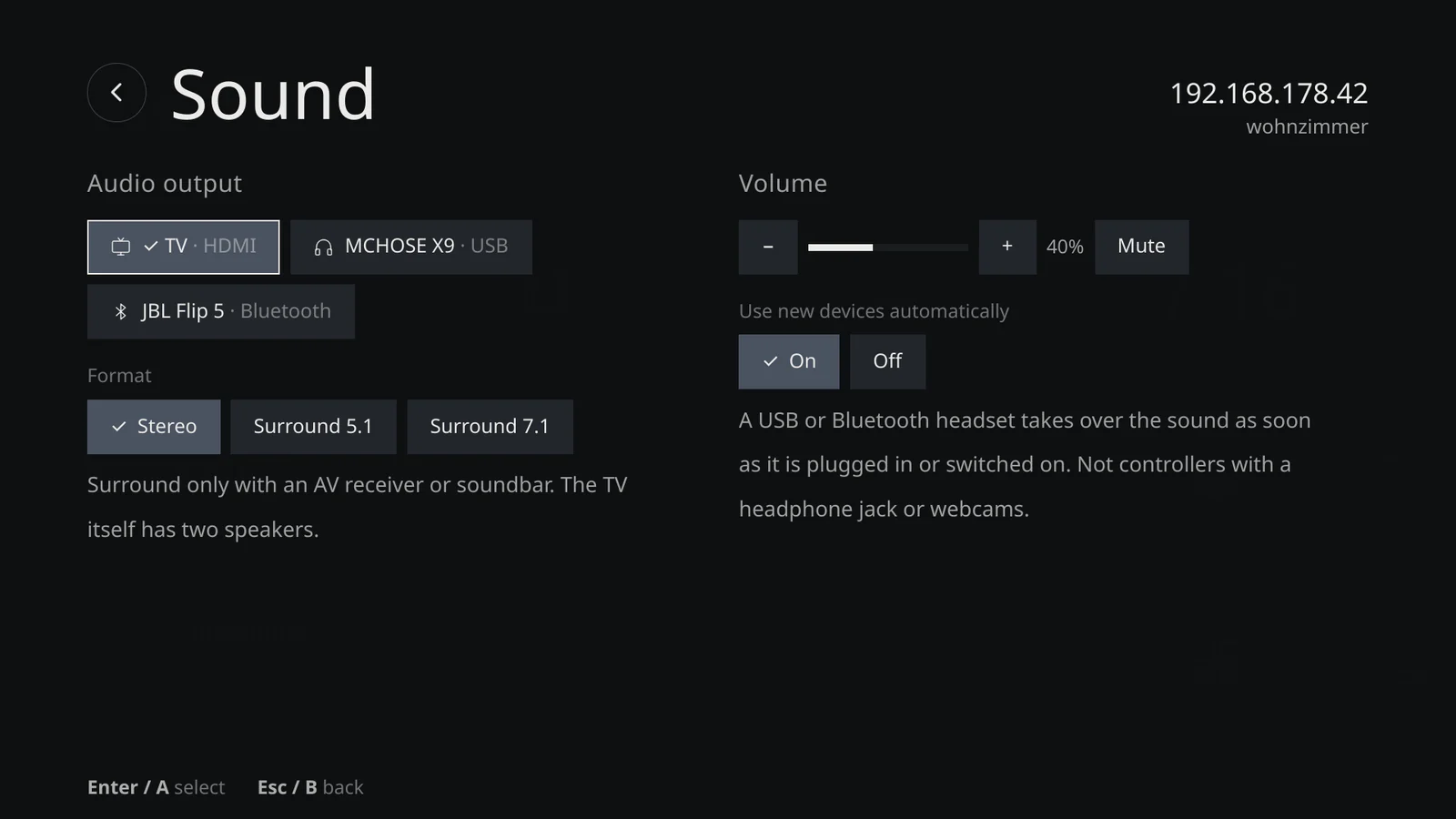
- Sound: Settings → Sound now lists devices like “TV · HDMI” or “Headphones · Bluetooth” instead of PipeWire profiles. New headphones can take over the sound automatically.
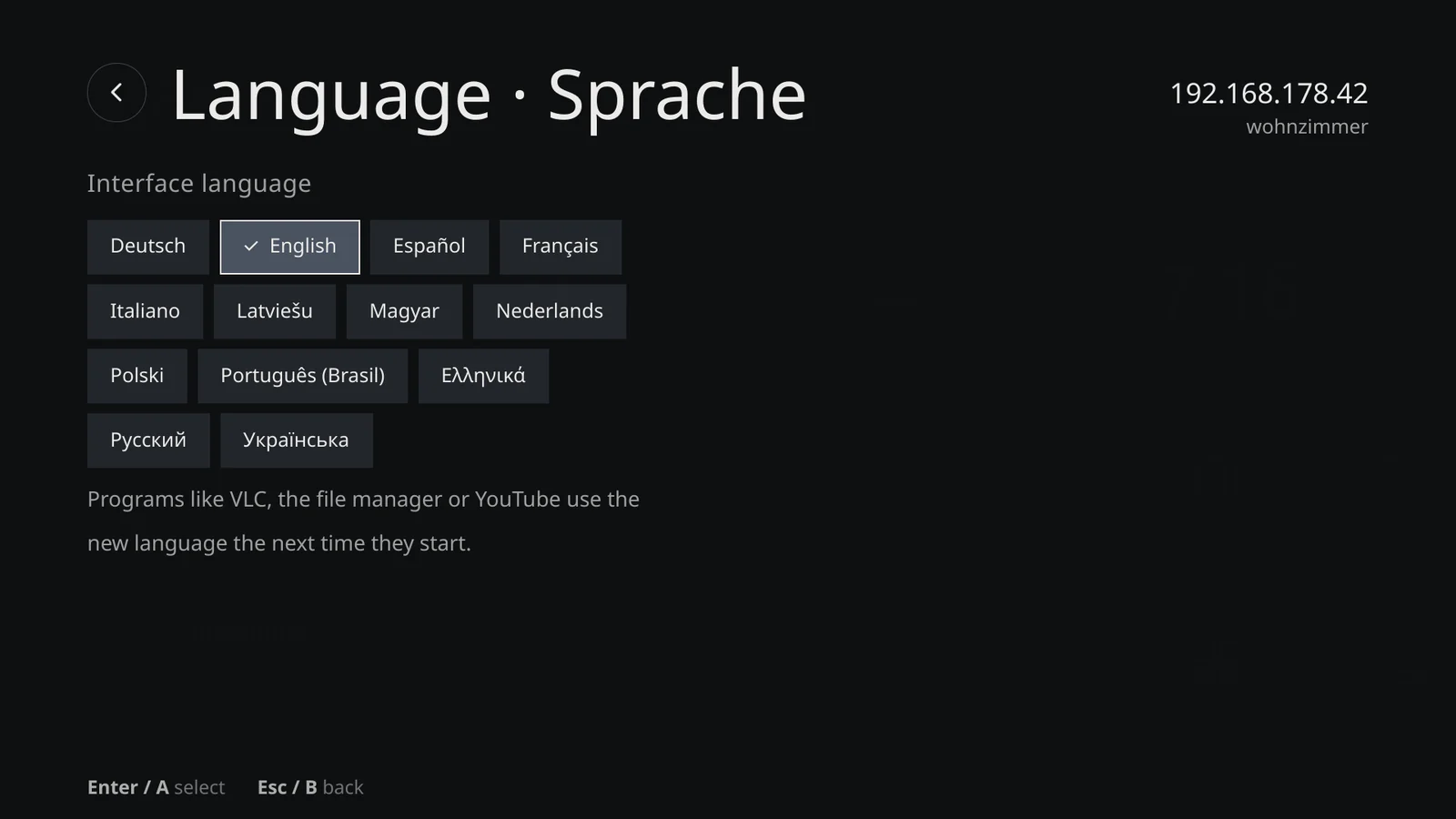
- 13 languages: new are Español, Français, Italiano, Latviešu, Magyar, Nederlands, Polski, Português (Brasil), Ελληνικά, Русский and Українська. The translations are machine-made, so corrections from native speakers are very welcome.
- Sleep in the power dialog. Wake up with a USB keyboard, mouse or remote.
- Back with the mouse: a small card with “Start screen” and “Close app” appears in the bottom-right corner.
- Controller as mouse in programs like Firefox or FreeTube. It switches off by itself in games and emulators.
- Also: rename Bluetooth devices, Game Boy Color in the mGBA tile, DOSBox Staging set up out of the box, and video decoding on the graphics card instead of the CPU.
What's planned
- Early November: VoidStation 2026.11, the first regular monthly update. It includes everything that has spent at least 14 days in Testing by then.
- About a week later: a new live ISO with the new player and all languages.
- Installer: in all 13 languages, with more keyboard layouts and, if you want, support for external drives such as an SSD in a USB enclosure.
- On-screen keyboard with proper layouts for Greek, Russian and Ukrainian.
- Steam with the NVIDIA driver straight from the AppCenter.
Get involved
Bugs, wishes and translation fixes are welcome as issues or pull requests on GitHub. Want to try the Testing channel? vsctl channel testing in the terminal (since 2026.11; before that Settings → Updates). And if you'd like to support VoidStation, you can buy us a coffee.